Proof of Delivery Software: How to Connect Customer Confirmation With Route Records
Proof of delivery software creates a clearer delivery record by connecting customer confirmation, driver actions and final mission status within the same operational workflow.
 Mohammad AlavitabarCEO @ Rouptimize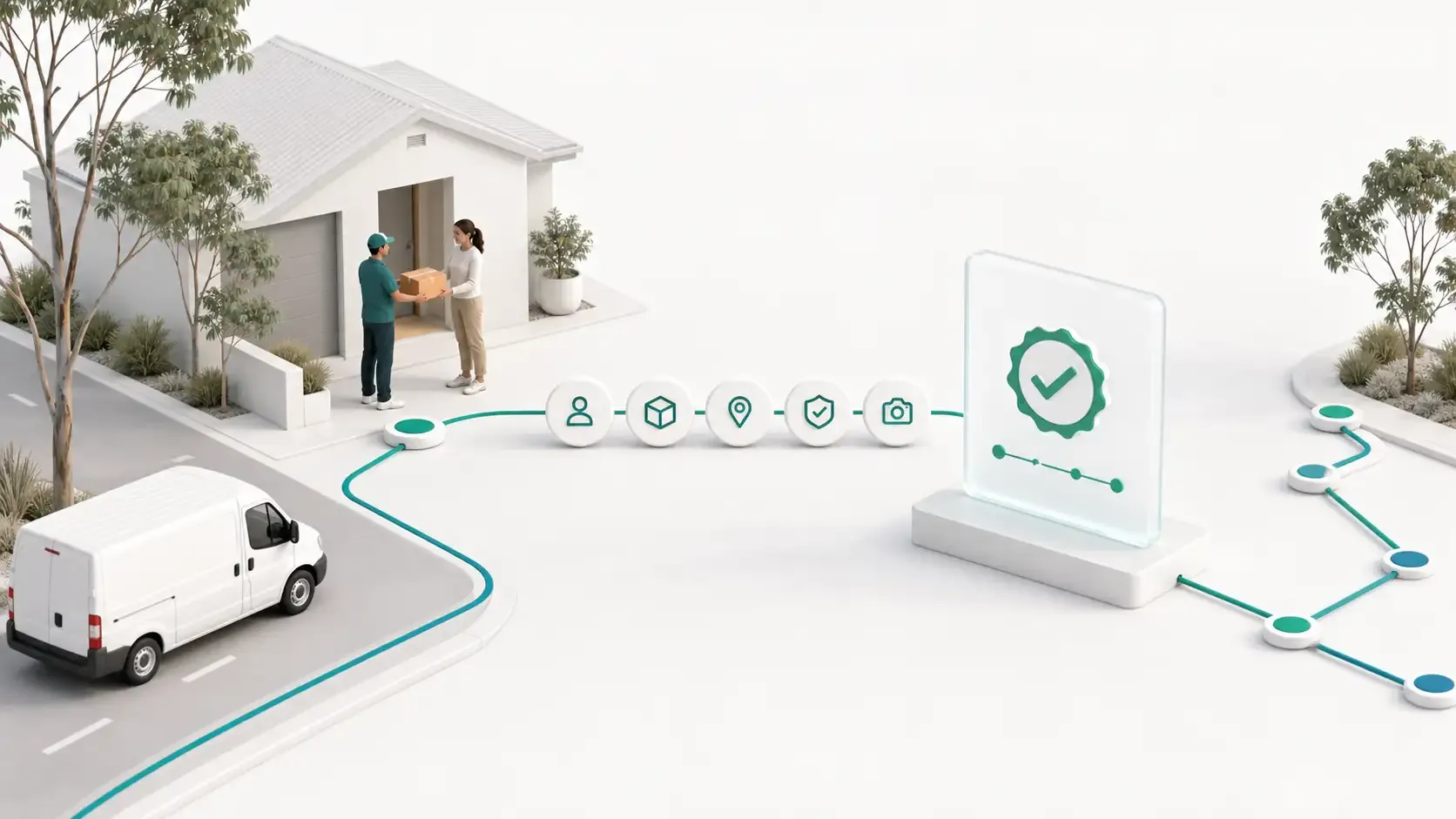
On this page
A driver marking a mission as delivered is useful, but it does not always provide enough context for the operations team.
Managers may still need to know which customer confirmed the handoff, when verification occurred, which mission was completed and how that completion relates to the assigned route.
Proof of delivery software becomes more valuable when customer confirmation is connected to the route and mission records already used by dispatch.
For Australian delivery teams, this creates a clearer path from planned stop to driver action, customer verification and final delivery status.
What Is Proof of Delivery Software?
Proof of delivery software records evidence or confirmation that a delivery reached the intended completion point.
Different systems may use photographs, signatures, identity checks, customer codes or combinations of these methods.
Rouptimize currently uses code-based proof of delivery. The customer provides a five-digit confirmation code, the driver verifies that code through the mobile workflow and the mission moves into a proofed delivery state.
This approach is designed to keep verification lightweight for the customer and driver while connecting the result to the relevant mission record.
It should not be described as photo proof, signature capture or formal identity verification.
A Delivered Status Is Not the Same as Verified Completion
A delivered status usually represents a driver action. The driver indicates that the mission has reached its completion stage.
Customer confirmation adds another step. It gives the recipient a role in verifying the handoff.
The difference matters when an operations team later receives a question such as:
- Was the correct mission completed?
- Did the customer provide the confirmation code?
- When was the code verified?
- Were unsuccessful attempts recorded?
- Had the code expired?
- Which driver and route were connected to the mission?
- Did the mission reach the proofed state?
A connected proof workflow helps the team answer these questions from operational records instead of relying only on a driver’s memory or a separate message thread.
Why Proof Should Stay Connected to the Mission
The mission is the operational record that contains the customer, address, service window, duration and assignment context behind the delivery.
If proof information is stored separately, managers may need to match it back to the correct order manually. That becomes difficult when the same customer receives several deliveries or when multiple drivers serve the same area.
Rouptimize’s mission management tools keep delivery details connected from creation or import through route planning, assignment and completion.
Proof should extend that record rather than create an isolated document.
This is another reason clean delivery mission data matters. Verification is only useful when it is attached to the correct customer and delivery work.
How Code-Based Proof of Delivery Works
A practical confirmation-code workflow can be understood as a short sequence.
1. Prepare the mission
The mission should contain accurate customer and contact details, including the information needed for the confirmation workflow.
Incorrect contact data can prevent the customer from receiving or accessing the code and create avoidable driver calls.
2. Plan and assign the route
The mission is scheduled onto a route and connected to the appropriate driver and vehicle.
This assignment provides the operational context behind the later verification. The proofed mission can be understood as part of a particular route and delivery day.
3. The driver opens the mission
Through the driver mobile app, the driver can view the assigned route, open mission details, navigate and update delivery status.
Proof verification should happen inside this mission context, not through an unrelated tool.
4. The customer provides the code
When proof is required, the customer provides the five-digit confirmation code associated with the delivery.
The driver should not guess the code, ask the customer to share it before the handoff or record it in an insecure public channel.
5. The driver verifies the code
The driver enters the customer code through the proof workflow.
Rouptimize can retain proof-related context such as the code destination, SMS status, expiry, verification attempts and verified time.
6. The mission becomes proofed
After successful verification, the mission moves into the proofed delivery state.
The completion record remains connected to the mission, route and driver workflow rather than existing as an isolated confirmation.
The exact operational steps are covered in the proof-of-delivery documentation.
What a Useful Proof Record Should Explain
A useful proof record should help the operations team understand the delivery without reconstructing the day manually.
The record should provide context around:
- the delivery mission;
- the assigned route;
- the driver workflow;
- the intended customer contact;
- whether the code process was initiated;
- verification attempts;
- code expiry;
- the verified time; and
- the final proofed status.
Not every user needs to see every technical detail. The important point is that the verification event remains attached to the correct operational record.
Keep the Driver Workflow Simple
Proof requirements can improve accountability, but an overly heavy process creates its own problems.
If every delivery requires several screens, repeated data entry and unclear customer instructions, drivers may take longer at each stop. Inconsistent use can also weaken the quality of the records.
A lightweight confirmation code keeps the core driver action focused:
- Open the assigned mission.
- Complete the customer handoff.
- Ask for the customer code.
- Verify the code.
- Confirm the mission reached the proofed state.
The driver should not need to switch between several applications or manually match the confirmation to an order reference.
This connected field workflow is one of the practical requirements discussed in what drivers need after routes are assigned.
Give Customers Clear Expectations
Customer participation is easier when the confirmation process is explained before the driver arrives.
Customers should understand:
- that they may receive a delivery confirmation code;
- that the code is connected to their delivery;
- that they should provide it during the handoff;
- that they should not publish or share it unnecessarily; and
- who to contact if they cannot access the code.
The explanation should be short and practical. Customers do not need a technical description of the proof system.
The goal is to make verification feel like a normal final step in the delivery, not a surprise introduced at the doorstep.
Handle Failed Verification as an Exception
Not every confirmation attempt will succeed.
The customer may not have access to the relevant phone, the contact information may be incorrect, the code may have expired or several unsuccessful attempts may have occurred.
These situations should remain visible as exceptions. The mission should not be presented as proofed when verification has not succeeded.
The operations team should define what the driver should do next. Depending on the business, that may involve contacting dispatch, checking the mission details or following a separate failed-verification policy.
Rouptimize’s proof context can include attempts, expiry and SMS status, giving dispatchers more information when investigating the issue.
Connect Proof With Live Delivery Context
Proof verification is the completion stage, but dispatchers may need visibility before the driver reaches it.
Rouptimize’s live monitoring tools connect selected driver and vehicle location information with today’s assigned missions when mobile location streaming is enabled.
This context can help dispatch understand whether a mission is still active, completed or waiting for proof-related action.
Monitoring should support exception management rather than unnecessary supervision. The article on using live monitoring without micromanaging drivers explains this distinction.
Use Proof Status in Delivery Reports
A proof workflow becomes more useful when managers can review the results across many missions.
Rouptimize’s reports and analytics connect mission history, delivery activity, drivers, routes and proof context with wider operational performance.
Useful questions include:
- How many completed missions reached the proofed state?
- Which routes contain unresolved proof exceptions?
- How often do verification attempts fail?
- Are expired codes associated with particular operational conditions?
- Do some missions repeatedly contain incorrect customer contact details?
- Are drivers following the same confirmation process?
These questions help managers improve both the proof workflow and the mission data supporting it.
Proof Records Can Reduce Investigation Time
When a customer asks about a completed delivery, the operations team needs a quick way to understand what happened.
Without connected records, the investigation may involve calling the driver, searching through messages, checking route spreadsheets and comparing several order references.
A proofed mission gives the team a clearer starting point. They can review the mission, route, driver context and verification details together.
This does not guarantee that every dispute will disappear. It reduces ambiguity and gives the team more structured information for handling the enquiry.
Code Verification Has Clear Limits
A customer confirmation code proves that the correct code was entered into the delivery workflow.
It does not automatically prove:
- the condition of the delivered item;
- the identity of the person providing the code;
- the exact physical placement of the delivery;
- compliance with every industry requirement;
- acceptance of contractual terms; or
- a legally sufficient chain of custody.
Australian businesses should decide whether code-based proof meets their operational, customer, contractual and regulatory requirements.
Deliveries involving regulated goods, high-value items or formal identity requirements may need a different or additional verification method.
The broader proof of delivery software guide can help teams evaluate the role of proof within the dispatch workflow.
Protect Customer and Proof Information
Proof codes should be treated as operational information connected to a real delivery.
Teams should avoid placing real customer codes in public support forms, unsecured notes or shared documents that are not intended for delivery operations.
Access to proof records should follow appropriate company roles and permissions. Drivers should only access the route and mission information required for their assigned work.
Customer contact details should also be checked before dispatch. Sending verification information to an outdated or incorrect contact creates both an operational and privacy problem.
Proof of Delivery in Australian Operations
Australian delivery teams use proof workflows across different operating models.
Courier and parcel delivery
Confirmation codes can help connect a parcel handoff with the mission served by a particular route and driver.
Ecommerce delivery
A proofed status gives customer-service teams clearer context when reviewing completed home deliveries.
Grocery and food delivery
A lightweight verification step can support time-sensitive deliveries without introducing a long driver process.
Bulky-goods delivery
Customer confirmation can create a clearer completion record for furniture, appliances and other scheduled deliveries.
Multi-branch operations
Connected proof records help managers review completion across branches without relying on separate local spreadsheets.
The same workflow will not suit every business. The proof method should match the value, risk and customer expectations attached to the delivery.
Build Proof Into the Operating Process
Proof of delivery works best when it is planned before the driver reaches the customer.
The operations team should define:
- which mission types require proof;
- what customer contact information is required;
- when the customer receives or accesses the code;
- what the driver should explain;
- what successful verification looks like;
- how failed attempts are handled;
- who reviews unresolved proof exceptions; and
- how proof performance is reported.
This turns proof from a final button into a consistent operational process.
The step-by-step customer-code verification tutorial can help teams prepare the workflow.
Measure the Proof Workflow
A proof process should be reviewed using more than the number of completed deliveries.
Useful measures can include:
- missions requiring proof;
- successfully proofed missions;
- missions completed without successful verification;
- failed verification attempts;
- expired codes;
- incorrect customer contact details;
- proof-related driver calls; and
- customer enquiries after proofed delivery.
These measures help identify whether the workflow is simple, reliable and appropriate for the operation.
A high number of exceptions may point to customer-data problems, unclear driver instructions or a proof requirement that does not fit the delivery type.
Connect Confirmation to the Delivery Record
Proof of delivery should not become a separate process disconnected from planning and dispatch.
The strongest workflow connects the customer confirmation with the mission, route, driver action, status history and reporting context behind the delivery.
For Australian delivery teams, code-based proof can provide a lightweight way to verify completion while keeping the result connected to the operational record.
Start using connected proof-of-delivery workflows with Rouptimize.
Written by
Results-oriented and visionary CEO with a passion for innovation and a track record of transforming startups into industry leaders. Seeking a leadership role in a dynamic startup environment where I can leverage my strategic acumen, entrepreneurial spirit, and hands-on experience to drive growth, build high-performing teams, and deliver unparalleled value to customers. Committed to fostering a culture of creativity, adaptability, and sustainable success.
Operations • Management • Route Optimization • Product Management • Logistics • Problem Solving
FAQ
What proof of delivery does Rouptimize support?
Rouptimize currently supports code-based proof of delivery using customer five-digit confirmation codes.
Does Rouptimize capture proof photos or signatures?
No. The current public product claim is customer code verification. It should not be described as photo or signature proof.
What happens after the customer code is verified?
The mission moves into a proofed delivery state, with the verification connected to the mission workflow.
Can dispatchers review unsuccessful attempts?
Proof context can include attempts, code expiry, SMS status and verified time for operational review.
Is a confirmation code legally sufficient proof?
That depends on the business, delivery type and applicable contractual or regulatory requirements. Each company should determine whether code verification is sufficient for its use case.
Does every delivery need proof?
Not necessarily. The business should define which mission types require customer confirmation based on operational risk and customer expectations.
How does the driver verify the code?
The driver opens the assigned mission in the mobile workflow and enters the customer’s five-digit confirmation code when proof is required.