How Delivery Teams Can Use Live Monitoring Without Micromanaging Drivers
Live delivery monitoring works best when it helps dispatch teams manage exceptions, support drivers, and improve route decisions without turning visibility into constant driver pressure.
 Mohammad AlavitabarCEO @ Rouptimize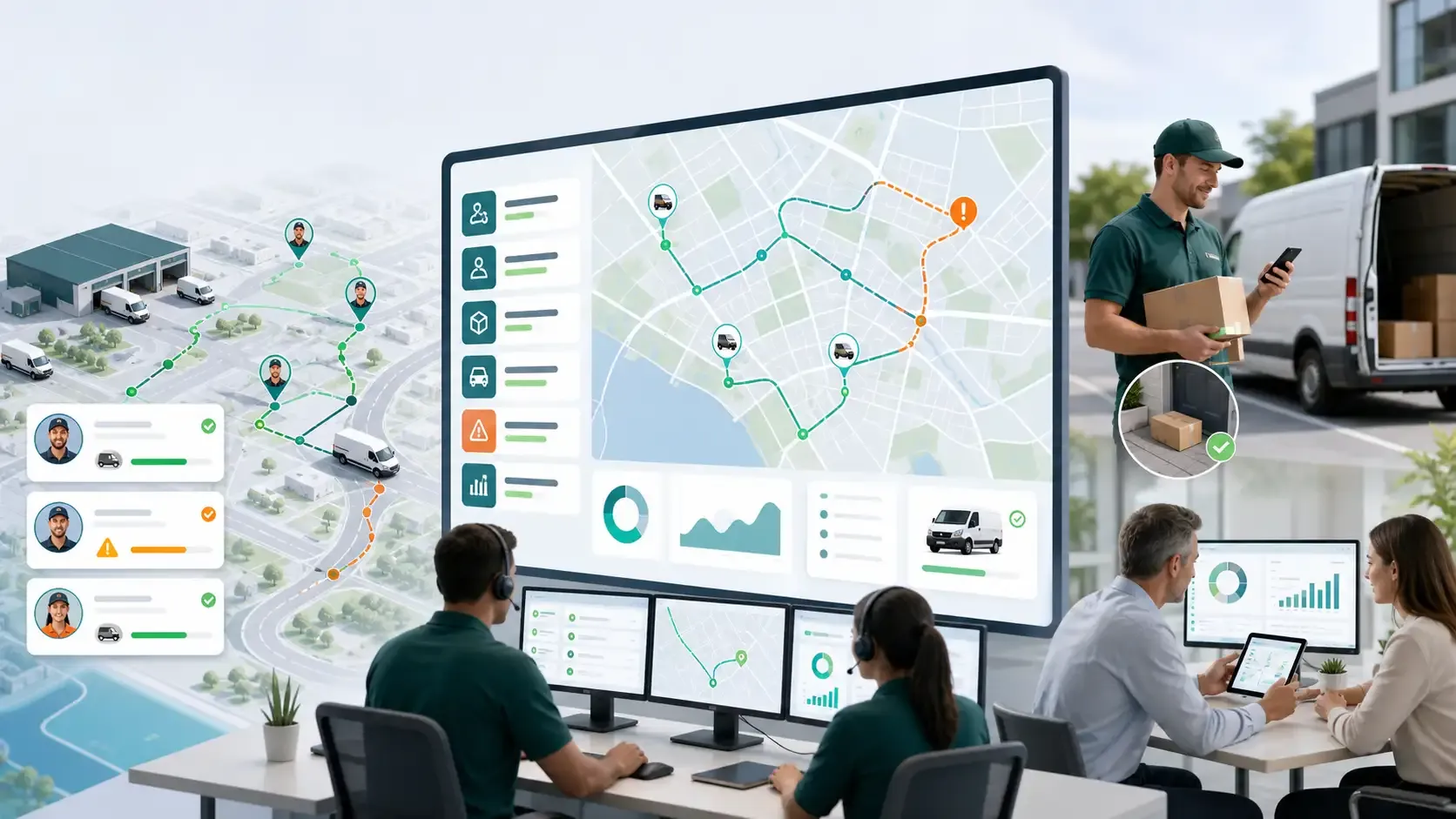
On this page
Live monitoring can help delivery teams run a better dispatch operation.
It can show where active routes stand, which drivers may need support, which stops are delayed, and which exceptions need attention before the customer experience is affected.
But live monitoring can also be misunderstood.
If used badly, it can feel like micromanagement. Drivers may feel watched instead of supported. Dispatchers may stare at every movement instead of focusing on real exceptions. Managers may use location data as pressure instead of operational context.
For Australian courier, ecommerce, grocery, field service, and last-mile delivery teams, the best approach is different.
Live monitoring should help teams support the delivery day. It should make exceptions visible, keep route context connected, reduce manual phone calls, and improve future planning without turning drivers into targets.
Live Monitoring Is About Operational Visibility
Live delivery monitoring is not just about seeing a moving vehicle on a map.
The real value is operational visibility.
Dispatchers need to understand whether the route is progressing as planned, whether a driver is falling behind, whether a mission status has changed, and whether an exception needs attention.
Rouptimize’s live delivery monitoring helps teams follow selected drivers, vehicles, current locations, last updates, and mission context while delivery routes are active.
That context matters because the goal is not to watch drivers for the sake of watching. The goal is to understand whether the delivery operation is on track.
The Difference Between Monitoring and Micromanaging
Monitoring supports decisions. Micromanaging interrupts work.
A dispatcher using live monitoring well may check route progress, identify an at-risk stop, and support the driver before the route fails. A dispatcher micromanaging may repeatedly contact drivers for minor movements, question every stop, or create unnecessary pressure during normal field work.
The difference is intent and behaviour.
Healthy live monitoring focuses on:
- Route progress
- Delivery exceptions
- Delayed work
- At-risk time windows
- Driver support
- Customer communication
- Operational learning
Unhealthy monitoring focuses on constant control.
Delivery teams should be clear about the purpose of visibility. It should help the operation run better, not make drivers feel distrusted.
Focus on Exceptions, Not Every Movement
The strongest dispatch teams do not watch every driver every minute.
They use live monitoring to identify exceptions.
An exception may be a delayed route, a missed update, a failed delivery, a driver far behind schedule, a time-sensitive stop at risk, or a route that no longer matches the plan.
This focus helps dispatchers use attention where it matters.
A practical monitoring workflow asks:
- Which route is at risk?
- Which driver may need support?
- Which customer commitment may be missed?
- Which exception needs action now?
- Which issue can wait for reporting later?
Rouptimize’s article on dispatch visibility for delivery teams explains why planned routes, driver assignments, and live delivery state need to stay connected.
Drivers Need to Understand the Workflow
Live monitoring works better when drivers understand why it exists.
If drivers think monitoring is only about checking up on them, trust can drop. If they understand that monitoring helps reduce unnecessary calls, support route exceptions, and protect customer commitments, the workflow becomes easier to accept.
Teams should communicate the operational purpose clearly:
- Monitoring helps dispatchers see route progress.
- Monitoring reduces repeated check-in calls.
- Monitoring helps dispatchers support delayed routes.
- Monitoring helps customers receive better updates.
- Monitoring helps managers improve future planning.
The message should be simple: live monitoring is there to support the route, not punish the driver.
Driver Apps Make Monitoring More Useful
Live monitoring becomes more useful when it is connected to the driver workflow.
A location dot alone does not explain what is happening. Dispatchers need mission status, route context, driver assignment, vehicle context, and delivery updates.
A driver delivery app helps drivers see assigned routes, mission details, navigation context, status updates, and proof-of-delivery steps.
When the driver app and monitoring workflow are connected, dispatchers can understand the delivery state without relying on constant phone calls.
This reduces noise for drivers and gives dispatchers better information.
Route Assignment Gives Monitoring Context
A live location is only useful when it is tied to the right route.
If dispatchers cannot connect the driver to the assigned route, vehicle, and mission list, monitoring becomes shallow. They may see movement but not understand whether the driver is on plan, behind plan, or completing the right work.
This is why driver and vehicle assignment should stay connected to route planning.
Rouptimize’s documentation on how to assign driver and vehicle shows why route ownership matters before dispatch.
Monitoring works best when the dispatcher can see the planned route, assigned driver, assigned vehicle, and live delivery state together.
Use Live Monitoring to Protect Time Windows
Time-sensitive deliveries are one of the best reasons to use live monitoring.
If a route is falling behind, dispatchers may still have time to act before a customer window is missed. They may contact the customer, support the driver, review the route, or adjust expectations.
For Australian delivery teams managing grocery orders, ecommerce delivery slots, B2B receiving hours, or field service appointments, this can reduce failed attempts and support better customer communication.
Rouptimize’s article on delivery time windows explains why routes should be built around real customer availability.
Live monitoring helps protect those plans once drivers are on the road.
Support Drivers When Routes Become Unrealistic
Sometimes live monitoring reveals that the route itself was unrealistic.
The driver may be doing the work properly, but the route may have too many stops, underestimated service time, heavy traffic, poor address data, or tight time windows.
This is where monitoring should lead to support, not blame.
A dispatcher may use live monitoring to identify the issue and decide whether to reassign work, contact a customer, revise later stops, or note the problem for future planning.
This is important culturally.
If monitoring is used only to pressure drivers, teams miss the real operational insight. If monitoring is used to understand what the route is doing, managers can improve the next plan.
Proof of Delivery Completes the Live Picture
Live monitoring shows active progress, but proof of delivery confirms completion.
A route may appear to reach a stop, but the operations team still needs to know whether the delivery was completed, failed, or requires follow-up.
Rouptimize’s proof of delivery software helps teams connect delivery completion with the mission record.
This matters because live visibility and proof serve different purposes. Monitoring helps during the route. Proof helps confirm the outcome after the stop.
Together, they create a clearer delivery record.
Reports Turn Monitoring Into Improvement
Live monitoring should not end when the route is finished.
The best teams use monitoring signals and delivery outcomes to improve future dispatch cycles.
Rouptimize’s delivery reports and analytics help teams review route performance, driver activity, mission history, exceptions, and operational bottlenecks.
Useful reporting questions include:
- Which routes were repeatedly delayed?
- Which time windows were unrealistic?
- Which drivers needed support because routes were overloaded?
- Which branches had the most active exceptions?
- Which locations caused repeated delays?
- Which routes should be planned differently next time?
This helps teams move from real-time visibility to long-term improvement.
You can also read Delivery Metrics That Matter for a deeper look at route performance reporting.
Build Trust With Clear Monitoring Rules
Live monitoring needs trust.
Teams should be clear about how monitoring is used. The details will vary by business, but the principle is simple: monitoring should be tied to delivery operations, route progress, safety, customer commitments, and exception management.
A healthy monitoring culture avoids surprise, ambiguity, and unnecessary pressure.
Good internal rules may explain:
- When routes are monitored
- What information dispatchers use
- Which exceptions trigger action
- How drivers should update status
- How monitoring supports customer communication
- How reports are used to improve planning
This helps drivers understand the workflow and reduces the feeling of hidden surveillance.
What Australian Delivery Teams Should Look For
Australian delivery teams should look for live monitoring that fits the full delivery workflow.
A useful system should connect:
- Planned routes
- Driver and vehicle assignment
- Mission details
- Driver mobile updates
- Active route progress
- Exceptions
- Proof of delivery
- Reports and analytics
For teams evaluating route optimization software in Australia, live monitoring should be part of the wider dispatch decision.
A map with moving vehicles is helpful, but the real value comes when monitoring connects to route planning, driver workflow, proof, and reporting.
Common Live Monitoring Mistakes
Many teams make the same mistakes.
They use monitoring only as a control tool. They watch movement without route context. They contact drivers too often. They ignore mission status. They fail to separate normal progress from real exceptions. They do not explain the purpose to drivers. They review monitoring data without improving future plans.
These mistakes reduce trust and limit operational value.
A better approach is to use live monitoring as an exception management tool: clear, focused, supportive, and connected to the full delivery workflow.
Conclusion: Visibility Should Support Drivers and Dispatchers
Live monitoring is valuable when it helps delivery teams manage the day without creating unnecessary pressure.
The goal is not to micromanage drivers. The goal is to make route progress, delivery exceptions, and customer risks visible early enough to respond.
Australian delivery teams can use live monitoring more effectively by connecting it to route assignments, driver mobile workflows, mission status, proof of delivery, and reports.
Rouptimize helps teams connect route optimization, dispatcher maps, driver apps, live monitoring, proof of delivery, mission management, and reporting so delivery visibility supports the operation instead of overwhelming it.
Written by
Results-oriented and visionary CEO with a passion for innovation and a track record of transforming startups into industry leaders. Seeking a leadership role in a dynamic startup environment where I can leverage my strategic acumen, entrepreneurial spirit, and hands-on experience to drive growth, build high-performing teams, and deliver unparalleled value to customers. Committed to fostering a culture of creativity, adaptability, and sustainable success.
Operations • Management • Route Optimization • Product Management • Logistics • Problem Solving
FAQ
What is live delivery monitoring?
Live delivery monitoring helps dispatchers follow active routes, selected drivers, vehicles, current locations, last updates, mission status, and delivery progress while work is in progress.
How can teams use live monitoring without micromanaging drivers?
Teams can use live monitoring responsibly by focusing on exceptions, route progress, customer commitments, driver support, and operational improvement instead of watching every movement.
Why does driver trust matter in live monitoring?
Driver trust matters because monitoring works best when drivers understand that visibility supports dispatch, reduces unnecessary calls, and helps improve route planning.
How does a driver app support live monitoring?
A driver app helps connect assigned routes, mission details, status updates, proof steps, and field activity back to the dispatch workflow.
Why should live monitoring connect to route assignments?
Live monitoring is more useful when dispatchers can see the planned route, assigned driver, assigned vehicle, mission list, and active delivery state together.
How can live monitoring reduce failed deliveries?
Live monitoring can help dispatchers identify delayed routes, at-risk time windows, and active exceptions early enough to support the driver or contact the customer.
What should Australian delivery teams look for in live monitoring software?
Australian teams should look for live monitoring that connects route planning, driver assignment, mobile app updates, mission status, proof of delivery, and reports.