Driver Delivery Apps: What Field Teams Need After Routes Are Assigned
A route is only useful when drivers can execute it clearly. Driver delivery apps help field teams see assigned work, understand mission context, update status, complete proof, and stay connected to dispatch.
 Mohammad AlavitabarCEO @ Rouptimize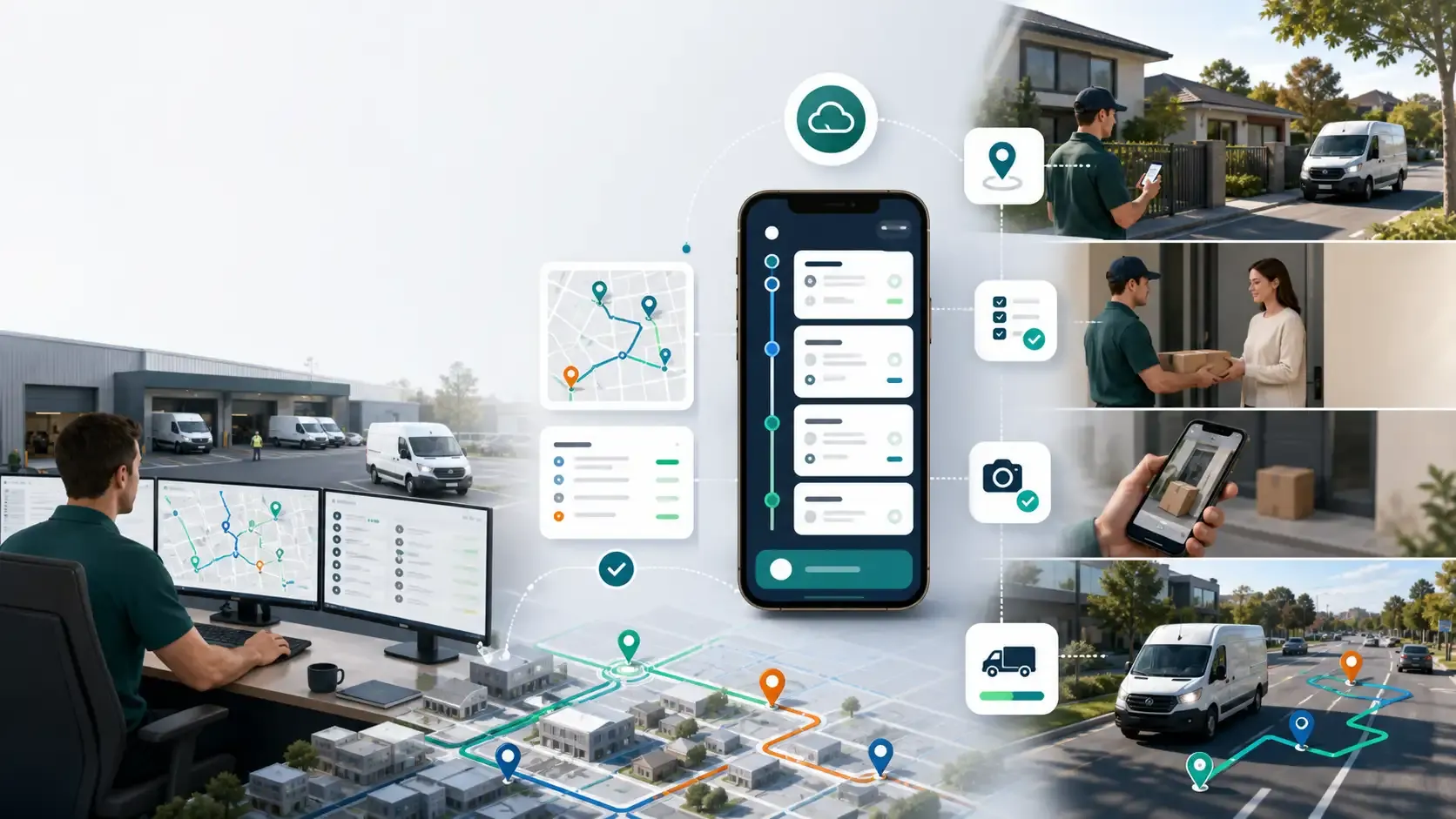
On this page
A route is not complete when it is assigned.
For dispatchers, assignment may feel like the final step: the route has been planned, the driver has been selected, and the vehicle is ready. But for the driver, that is when the real work begins.
The driver still needs to understand the route, follow the stop sequence, read mission details, navigate to each location, update delivery status, handle exceptions, and complete proof of delivery.
For Australian courier, ecommerce, grocery, field service, bulky goods, and last-mile delivery teams, a driver delivery app can make the difference between a route that looks good in dispatch and a route that works in the field.
Why Driver Apps Matter After Route Assignment
Route optimization and dispatch planning are only useful if drivers can execute the plan.
If the driver receives unclear instructions, the dispatcher becomes the backup system. Drivers call for addresses, ask for customer notes, confirm stop order, report delays manually, or send proof through separate messages.
That creates friction for everyone.
A good driver delivery app gives field teams the context they need after routes are assigned. It connects the driver to the route, the route to the mission details, and the mission outcome back to operations.
This is especially important for Australian delivery teams managing busy metro routes, outer-suburban travel, regional service areas, and time-sensitive customer expectations.
Assigned Routes Should Be Easy to Find
The first thing drivers need is clarity.
When they open the mobile app, they should be able to see the work assigned to them. They should not need to search through old messages, ask dispatch for confirmation, or guess which route is theirs.
A driver-ready route should make clear:
- Which route is assigned
- Which missions are included
- Which stops come next
- Which route is active
- Which work has already been completed
- Which work still needs attention
Rouptimize’s documentation on how to use the driver mobile app explains how driver work should stay connected to assigned routes and missions.
The easier it is for drivers to find assigned work, the faster the route can move from plan to execution.
Mission Details Need to Travel With the Driver
Drivers need more than a route line.
Each stop has details that matter: customer name, address, delivery instructions, time window, parcel context, contact details where appropriate, proof requirement, and completion status.
If mission details are not available in the field, drivers have to rely on memory, paper notes, screenshots, or dispatcher calls.
That creates risk.
Rouptimize’s delivery mission management software helps keep mission details connected to planning, dispatch, driver workflow, and reporting.
When mission context travels with the driver, field teams can complete stops with fewer avoidable questions.
Navigation Context Should Support the Route Plan
A driver delivery app should help drivers understand where to go next.
Navigation is not only about reaching a location. It is about following the route sequence that dispatch reviewed and assigned.
A driver may need to know:
- Which stop is next
- Where the stop is located
- How the route sequence is structured
- Whether a stop has time-window urgency
- Whether the customer has access notes
- Whether the route has changed
A basic map can help with directions, but the driver workflow should stay connected to the operational route plan.
For a broader view of why delivery teams need more than basic mapping, read Why Last-Mile Delivery Teams Need More Than a Shortest-Path Map.
Status Updates Keep Dispatch Connected
Drivers should be able to update mission status from the field.
Without field status updates, dispatchers may not know whether a delivery is completed, failed, delayed, or still in progress. They may need to call drivers repeatedly just to understand what is happening.
A good driver app should support practical status updates such as:
- Started route
- Arrived at stop
- Completed delivery
- Failed delivery
- Issue or exception
- Proof completed
- Route progress update
These updates help dispatchers follow the delivery day without manual chasing.
Rouptimize’s dispatch visibility article explains why route assignments, driver context, and live delivery state need to stay connected.
Proof of Delivery Should Be Simple
Proof of delivery is important, but it should not slow drivers down with unnecessary steps.
Drivers need a clear way to verify completion at the stop. The workflow should be simple enough for daily use, while still giving managers a reliable record.
Rouptimize’s proof of delivery software supports code-based confirmation so completion can stay tied to the mission record.
This helps delivery teams reduce disputes without making every stop feel like paperwork.
For Australian ecommerce, courier, and last-mile delivery teams, simple proof is especially valuable because drivers often complete many stops in a single shift.
Failed Deliveries Need Clear Field Workflow
Not every delivery can be completed.
Customers may be unavailable. Addresses may be unclear. Access may be blocked. A business may be closed. The delivery may require confirmation that cannot be collected.
When this happens, the driver app should support a clear failure workflow.
Drivers should be able to record what happened in a structured way so operations teams can review the issue later.
Useful failed-delivery context may include:
- Customer unavailable
- Incorrect address
- Access issue
- Time-window missed
- Proof issue
- Delivery refused
- Other operational exception
This helps managers understand whether the problem came from customer availability, route planning, address quality, driver workload, or another operational issue.
For more on reducing these problems, read How Australian Ecommerce Delivery Teams Can Reduce Failed Deliveries.
Live Monitoring Depends on Driver App Connection
Dispatchers cannot monitor active routes properly if the field workflow is disconnected.
The driver app is one of the key sources of delivery state. It helps connect assigned routes, driver progress, mission updates, and proof-of-delivery activity back to the operations team.
Rouptimize’s live delivery monitoring helps dispatchers follow selected drivers, vehicles, live locations, last updates, and mission context while delivery work is in progress.
The goal is not to micromanage drivers. The goal is to make exceptions visible early enough to support the route.
When the mobile app and dispatch workflow stay connected, managers can see the difference between a planned route and the real delivery day.
Drivers Need Context, Not Noise
A good driver app should not overload drivers with unnecessary information.
Drivers need the details that help them complete the next stop safely and correctly. Too much clutter can slow the workflow, especially during high-volume delivery days.
The best mobile workflow is clear, focused, and practical.
It should help drivers answer:
- What route am I assigned?
- What stop is next?
- What details matter for this customer?
- What status should I update?
- Is proof required?
- What should I do if the delivery fails?
That is the difference between a driver app that looks impressive and a driver app that helps field teams work.
Driver Apps Support Better Reporting
A connected driver app also improves reporting.
When status updates, failed delivery reasons, proof events, and route progress come back into the delivery system, managers can review what happened after the route is complete.
Rouptimize’s delivery reports and analytics help teams review delivery activity, route performance, driver outcomes, and operational bottlenecks.
This matters because the driver workflow creates much of the data managers need to improve future routes.
A good reporting loop looks like this:
- Assign the route
- Driver receives mobile context
- Driver updates mission status
- Proof or failure reason is recorded
- Dispatch monitors active progress
- Managers review reports
- The next route plan improves
Why Driver Apps Matter in Australia
Australian delivery teams often manage diverse route conditions.
A driver may complete dense metro stops in the morning, outer-suburban deliveries in the afternoon, or regional work with longer distances between stops. Some customers may expect proof of delivery. Some routes may include tight time windows. Some deliveries may require clearer access instructions.
A driver app helps bring route planning into the field.
For teams evaluating route optimization software in Australia, the driver mobile workflow should be part of the decision. A strong optimization engine is useful, but drivers still need a practical way to execute the route.
Common Driver App Mistakes
Many delivery teams make the same mistakes with mobile workflows.
They send drivers routes without enough mission detail. They rely on separate messaging apps for updates. They collect proof outside the mission record. They give drivers too much irrelevant information. They make failed-delivery reporting too vague. They treat the driver app as optional instead of central to dispatch execution.
These mistakes create avoidable friction.
A better approach is to connect route assignment, mission context, navigation, status updates, proof, live monitoring, and reports in one delivery workflow.
Conclusion: Driver-Ready Routes Need Driver-Ready Apps
Route assignment is not the end of delivery planning. It is the start of field execution.
Drivers need assigned routes, mission details, navigation context, status updates, failed-delivery workflows, proof-of-delivery steps, and clear connection back to dispatch.
For Australian delivery teams, a driver delivery app helps turn route plans into completed work. It reduces confusion, supports live monitoring, improves proof collection, and creates better reporting data for future route planning.
Rouptimize helps delivery teams connect route optimization, dispatcher maps, driver mobile workflows, live monitoring, proof of delivery, mission management, and reports so drivers have the context they need after routes are assigned.
Written by
Results-oriented and visionary CEO with a passion for innovation and a track record of transforming startups into industry leaders. Seeking a leadership role in a dynamic startup environment where I can leverage my strategic acumen, entrepreneurial spirit, and hands-on experience to drive growth, build high-performing teams, and deliver unparalleled value to customers. Committed to fostering a culture of creativity, adaptability, and sustainable success.
Operations • Management • Route Optimization • Product Management • Logistics • Problem Solving
FAQ
What is a driver delivery app?
A driver delivery app is a mobile app that helps drivers view assigned routes, see mission details, update delivery status, navigate to stops, record exceptions, and complete proof of delivery.
Why do drivers need a mobile app after routes are assigned?
Drivers need a mobile app because route assignment alone does not provide all the context needed to complete deliveries. They need stop details, status workflows, proof steps, and live connection to dispatch.
What should a driver delivery app include?
A driver delivery app should include assigned routes, mission details, navigation context, status updates, failed-delivery workflows, proof of delivery, and delivery history where needed.
How does a driver app help dispatchers?
A driver app helps dispatchers by sending field status updates, route progress, proof events, and exception information back into the dispatch workflow.
Why is proof of delivery important in a driver app?
Proof of delivery helps confirm completion, reduce disputes, and connect the final delivery status to the mission record.
How does a driver app support live monitoring?
A driver app can support live monitoring by keeping driver activity, mission status, route progress, and location context connected to the dispatch team.
What should Australian delivery teams look for in a driver app?
Australian teams should look for clear assigned routes, mission context, simple status updates, proof-of-delivery support, live monitoring connection, and reporting data that helps improve future dispatch cycles.