Route Optimization Software in Australia: What Delivery Teams Should Look For
The best route optimization software helps Australian delivery teams move from clean delivery data to reviewed routes, driver assignments, live monitoring, proof of delivery, and performance reports.
 Mohammad AlavitabarCEO @ Rouptimize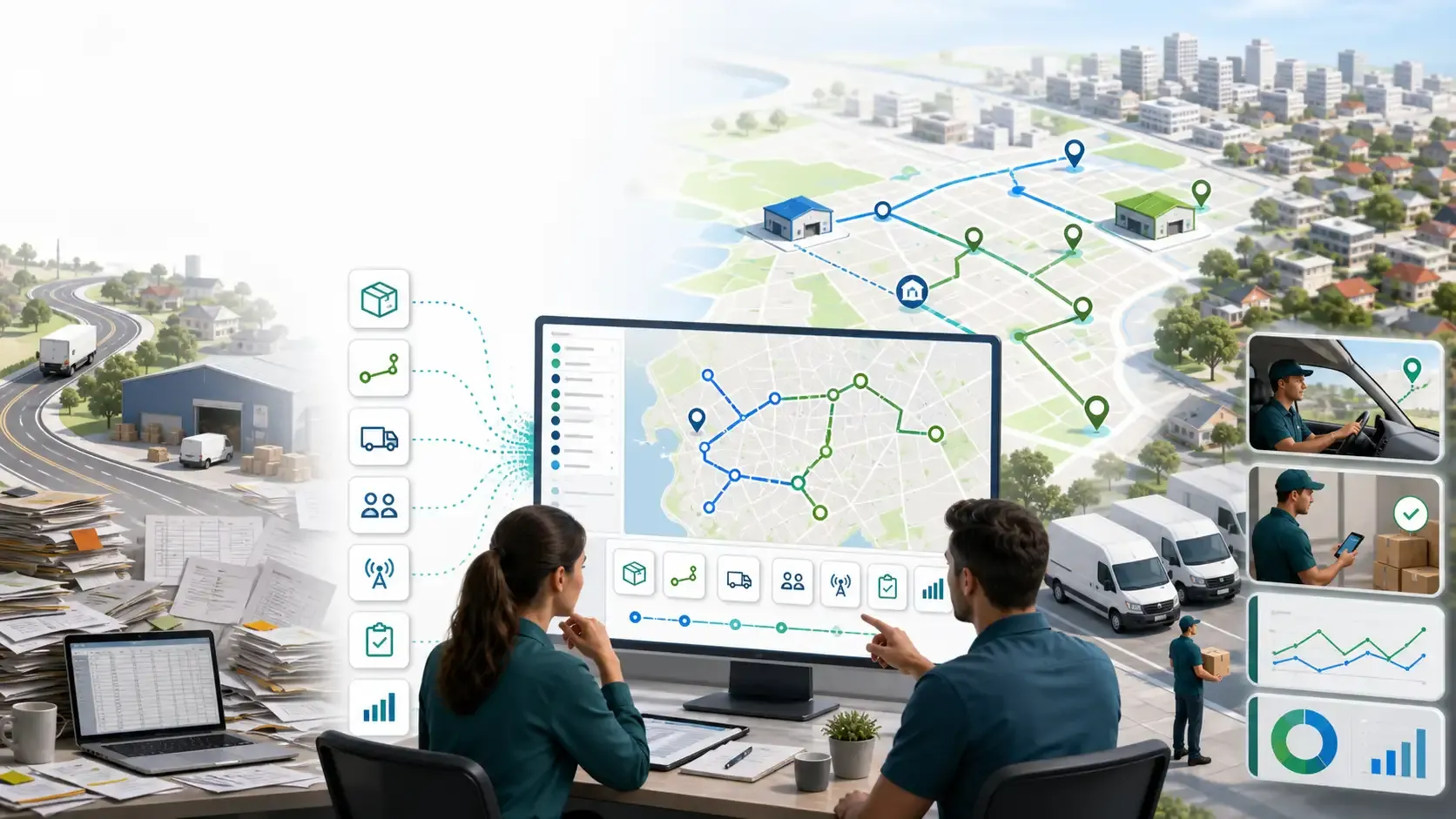
On this page
Choosing route optimization software is not just a technology decision.
For delivery teams, it affects how orders are prepared, how dispatchers plan the day, how drivers receive work, how managers monitor progress, and how the business learns from each route.
For Australian courier, ecommerce, grocery, field service, and last-mile delivery teams, the pressure is familiar: more deliveries, tighter customer expectations, rising labour costs, fuel cost pressure, and routes that need to work across dense metro areas as well as outer-suburban and regional zones.
The right software should help your team plan better routes. But more importantly, it should help your operation move from messy delivery work to clear dispatch decisions.
That means route optimization should connect with mission data, vehicle capacity, driver assignments, live monitoring, proof of delivery, and reporting. If those pieces are separated, the route plan may look good on screen but still create friction during the delivery day.
This guide explains what Australian delivery teams should look for when evaluating route optimization software.
Start With the Real Operational Problem
Many teams search for route optimization software because manual planning has become too slow.
Dispatchers may be using spreadsheets, Google Maps, phone calls, local knowledge, and repeated manual adjustments to build daily routes. That can work for a small operation, but it becomes harder as delivery volume grows.
The real problem is usually not only route sequencing. It is the full workflow around the route.
A delivery team needs to answer:
- Which orders or missions need to be completed today?
- Which branch, depot, or service area owns the work?
- Which vehicles and drivers are available?
- Which customers have time windows?
- Which stops need special handling?
- Which routes are realistic before drivers leave?
- Which routes are falling behind during the day?
- Which reports show what should change tomorrow?
Good route optimization software should support these operational questions, not only draw a shorter line between stops.
Look for Clean Mission Import
Route optimization starts before the route is generated.
If the order data is incomplete, duplicated, or difficult to prepare, dispatchers will spend too much time cleaning the plan before optimization even begins. For Australian delivery teams that receive work from ecommerce exports, warehouse systems, customer service teams, or spreadsheets, mission import is a critical feature.
A useful system should help teams import delivery work with the fields that matter for planning, such as:
- Customer name
- Delivery address
- Coordinates where available
- Delivery date
- Time window
- Service duration
- Parcel count, weight, or volume
- Branch or depot context
- Priority
- Pickup or delivery type
Rouptimize supports teams that need to import delivery missions from CSV, XLSX, or JSON, which is useful when daily delivery work comes from different operational sources.
Clean import matters because the quality of the route depends on the quality of the mission data.
Check Whether the Software Handles Real Constraints
A simple route planner may sequence stops by distance. That is useful, but it is not enough for many delivery teams.
Real delivery operations have constraints.
A route may need to respect customer time windows. A vehicle may have limited weight or volume capacity. A driver may have a shift end time. A job may require a specific skill, branch, or vehicle type. A depot may be the correct start or end point for the day.
If the software ignores those constraints, the result can be a route that looks efficient but fails in practice.
For Australian delivery teams, this matters because delivery conditions can vary widely. A dense inner-city route, a suburban ecommerce run, a grocery delivery route, and a regional field service schedule all have different planning requirements.
Good route optimization software should help teams plan around real constraints, including vehicles, drivers, depots, time windows, and route workload.
For a deeper planning view, Rouptimize’s guide to delivery route planning explains how mission data, depots, vehicles, route sequencing, dispatch, monitoring, and review fit together.
Vehicle Capacity Should Be Built Into Planning
Vehicle capacity is one of the easiest route planning details to underestimate.
A route can look efficient on a map but still fail at the loading dock if the assigned vehicle cannot carry the work. This is common when teams handle bulky ecommerce items, grocery orders, B2B deliveries, equipment, or mixed parcel sizes.
A strong system should allow teams to consider:
- Vehicle capacity
- Parcel volume
- Parcel weight
- Vehicle availability
- Driver and vehicle assignment
- Branch or depot context
- Delivery type suitability
This is especially important for Australian operators with mixed fleets. A small van, larger truck, refrigerated vehicle, motorcycle, or ute may all support different route types.
Rouptimize’s fleet management features help teams manage vehicles, drivers, capacity, skills, and assignments as part of the planning workflow.
Dispatchers Need Review and Control
Route optimization should not remove dispatcher judgement.
Experienced dispatchers understand local delivery conditions that may not be obvious from raw data. They may know that a loading dock is hard to access, a customer is slow to receive goods, a suburb becomes difficult at certain times, or one driver is better suited to a certain area.
The best software gives dispatchers a route plan they can review, adjust, and trust.
A dispatcher map helps operators inspect route geometry, mission details, depots, vehicle assignments, route cards, and stop order before sending work to drivers.
This review layer is important. It allows the dispatcher to combine software-generated efficiency with operational judgement.
In practice, the best workflow is not “the system decides everything.” It is “the system prepares the plan, and the dispatcher reviews the plan before dispatch.”
Driver Assignment Must Be Connected to the Route
A route is not useful until the right driver receives it.
Some systems optimize routes but leave driver assignment as a separate manual step. That creates risk. The route may be ready, but the driver may not know what to do. The wrong driver may receive the wrong route. A vehicle assignment may not match the workload.
Route optimization software should keep route assignment connected to the delivery workflow.
Dispatchers should be able to assign drivers and vehicles, update assignments when needed, and make sure route work becomes visible to the driver.
Rouptimize’s documentation on how to assign driver and vehicle shows why assignment is part of dispatch, not an afterthought.
The Driver App Matters More Than It Seems
Some companies evaluate route optimization mainly from the manager’s screen. But drivers are the people who execute the plan.
If drivers do not receive clear route context, the dispatcher becomes the backup system. Drivers call for instructions, ask for missing details, or manually confirm what should already be available in the workflow.
A strong driver delivery app should support the route after it leaves the dispatcher.
Drivers need access to assigned routes, mission details, navigation context, status updates, delivery history, and completion steps. If proof of delivery is required, that workflow should also be simple enough to use in the field.
For Australian delivery operations with busy daily schedules, driver clarity can reduce confusion and help routes move more smoothly.
Live Monitoring Helps Teams Manage the Day
Route planning does not end when drivers leave the depot.
Once routes are active, dispatchers need visibility into progress. They need to know which drivers are moving as expected, which routes may be delayed, and which stops need attention.
This is where live delivery monitoring becomes valuable.
Live monitoring can help dispatch teams answer practical questions:
- Where is the driver?
- Which route is active?
- What is the latest mission status?
- Which route may be falling behind?
- Which driver or vehicle needs attention?
- Is there an exception that should be handled now?
This is not about micromanaging drivers. It is about giving dispatchers enough visibility to manage exceptions before they become customer problems.
Proof of Delivery Should Be Part of the Workflow
For many delivery teams, route completion is not enough. Managers also need proof that the delivery was completed correctly.
Proof of delivery can help reduce disputes, improve customer confidence, and create a clearer record for operations teams.
Rouptimize’s proof of delivery software supports code-based confirmation so delivery completion can stay connected to the mission record.
This matters because proof should not live in a separate process. It should connect to the customer, mission, driver, route, and final delivery status.
When proof of delivery is part of the same workflow, teams can review completed work more easily and investigate exceptions faster.
Reports Should Help Improve the Next Route
Good route optimization software should help teams learn from what happened.
Managers need to compare planned work with completed work. They need to review driver activity, route performance, proof gaps, exceptions, and repeated bottlenecks.
Reports should help answer:
- Which routes were completed on time?
- Which drivers had overloaded routes?
- Which customers caused repeated delays?
- Which branches had the most exceptions?
- Which time windows were unrealistic?
- Which route assumptions should change?
Rouptimize’s delivery reports and analytics help teams review route performance and delivery outcomes without forcing spreadsheet cleanup first.
This matters because route optimization should become a learning loop: plan, dispatch, monitor, complete, review, and improve the next plan.
Consider the Full Delivery Workflow, Not Just One Feature
When comparing route optimization software in Australia, it is tempting to focus only on the optimization engine.
But the route is only one part of the delivery workflow.
A practical system should help teams move through the full daily process:
- Import or create missions
- Review route-ready delivery data
- Select vehicles and drivers
- Optimize around real constraints
- Review the route before dispatch
- Assign drivers and vehicles
- Send work to the driver app
- Monitor live delivery progress
- Verify proof of delivery
- Review reports and improve the next cycle
Rouptimize connects mission management, route optimization, dispatcher maps, driver workflows, live monitoring, proof of delivery, and reporting so delivery teams can manage more of this process in one workflow.
Pricing Should Match Delivery Growth
Pricing also matters when choosing software.
Delivery teams need a model that makes sense as route volume grows. A small team may be testing structured route planning for the first time. A larger team may need to support thousands of scheduled orders each month.
Rouptimize’s pricing is based around scheduled order credits, which helps teams connect usage to the amount of delivery work being planned and scheduled.
When evaluating route optimization software, look for pricing that is clear enough for operators and managers to understand. If the pricing model is confusing, it becomes harder to connect software cost with operational value.
What Australian Delivery Teams Should Prioritise
For Australian delivery teams, the best software choice depends on operational reality.
A courier team may prioritise fast dispatch and proof of delivery. An ecommerce team may need clean imports and high-volume route planning. A grocery delivery team may care about time windows and active monitoring. A field service team may need skills, locations, and job duration. A multi-branch operation may need branch, depot, user, vehicle, and reporting controls.
Before choosing a route optimization platform, ask:
- Does it support our delivery data sources?
- Can dispatchers review and adjust routes?
- Does it handle vehicle capacity and driver assignment?
- Can drivers receive route context in a mobile app?
- Can managers monitor live delivery activity?
- Does proof of delivery connect to the mission record?
- Can reports help us improve future dispatch cycles?
- Does the pricing model fit our delivery volume?
If the answer is yes, the software is more likely to support real operational change.
Common Mistakes When Choosing Route Optimization Software
Many teams make the same mistakes when evaluating software.
They focus only on route distance. They ignore driver workflow. They underestimate data quality. They forget proof of delivery. They treat reporting as a nice extra instead of a management tool. They choose a system that optimizes routes but does not support dispatch.
These mistakes create a gap between planning and execution.
The better approach is to evaluate route optimization software based on the full delivery day. The route should be planned, reviewed, assigned, monitored, completed, verified, and reported.
That is how software becomes useful in daily operations, not just impressive in a demo.
Conclusion: Choose Software That Helps the Whole Delivery Operation
Route optimization software in Australia should do more than create efficient routes.
It should help delivery teams turn mission data into realistic route plans, assign the right drivers and vehicles, give drivers the context they need, monitor live progress, verify completion, and review performance after the route is finished.
For Australian delivery teams facing higher customer expectations and rising operational costs, this connected workflow matters. Better route optimization is not only about saving distance. It is about building a delivery operation that can plan, dispatch, monitor, prove, and improve.
Rouptimize is built for that connected workflow across mission management, route optimization, dispatcher maps, driver apps, live monitoring, proof of delivery, reports, fleet management, and pricing.
Start free with Rouptimize
Written by
Results-oriented and visionary CEO with a passion for innovation and a track record of transforming startups into industry leaders. Seeking a leadership role in a dynamic startup environment where I can leverage my strategic acumen, entrepreneurial spirit, and hands-on experience to drive growth, build high-performing teams, and deliver unparalleled value to customers. Committed to fostering a culture of creativity, adaptability, and sustainable success.
Operations • Management • Route Optimization • Product Management • Logistics • Problem Solving
FAQ
What is route optimization software?
Route optimization software helps delivery teams plan better routes by considering stops, vehicles, drivers, depots, time windows, and other operational constraints. The goal is to create routes that are efficient and realistic for drivers to complete.
What should Australian delivery teams look for in route optimization software?
Australian delivery teams should look for clean mission import, vehicle capacity planning, dispatcher review tools, driver assignment, mobile app support, live monitoring, proof of delivery, and reporting.
Is route optimization software only useful for large fleets?
No. Smaller delivery teams can also benefit when manual planning becomes slow, inconsistent, or difficult to manage. The right system should support growth without forcing teams into unnecessary complexity.
How does route optimization help dispatchers?
Route optimization helps dispatchers move from raw delivery work to reviewed route plans. It can reduce manual sequencing, support driver and vehicle assignment, and make routes easier to inspect before dispatch.
Why does the driver app matter?
The driver app matters because drivers execute the route. They need access to assigned routes, mission details, navigation context, status updates, and delivery completion steps.
How does live monitoring support route optimization?
Live monitoring helps teams compare the route plan with real delivery progress. Dispatchers can identify delays, active exceptions, and route issues while there is still time to respond.
Does proof of delivery matter for route planning software?
Yes. Proof of delivery helps teams verify completion, reduce disputes, and connect final delivery status to the mission record. It is an important part of the full delivery workflow.
How can reports improve future delivery routes?
Reports help managers compare planned work with completed work, review driver activity, identify bottlenecks, and improve the next dispatch cycle.