Field Service Routing Software: Planning Mobile Jobs With Skills, Time, and Location Constraints
Field service routing is not only about driving distance. Teams need to match jobs with technician skills, appointment windows, service duration, vehicle context, live visibility, and completion reporting.
 Mohammad AlavitabarCEO @ Rouptimize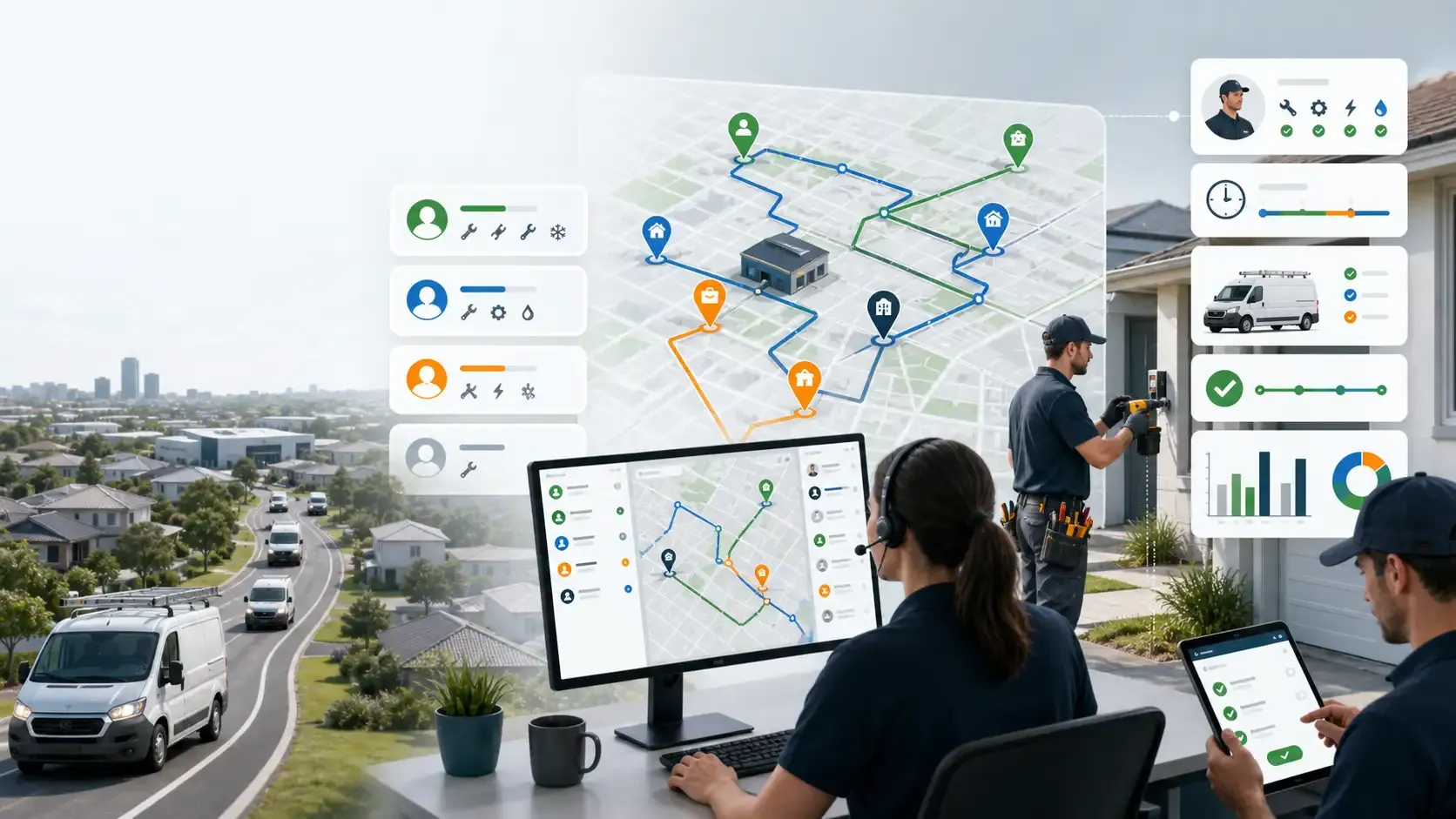
On this page
Field service work is not the same as parcel delivery.
A technician may need the right skill, the right equipment, the right vehicle, the right appointment window, and enough time to complete the job. If one of those details is wrong, the route may fail even if the travel path looks efficient.
For Australian field service teams, mobile job routing needs more than a shortest path between addresses. It needs planning that understands skills, time, location, job duration, driver or technician availability, live route progress, and completion reporting.
That is where field service routing software becomes useful.
The goal is not only to reduce travel distance. The goal is to send the right person to the right job at the right time with the right context.
Why Field Service Routing Is Different
Field service routes often involve fewer stops than courier or ecommerce delivery, but each stop may be more complex.
A job may require a licensed technician, a specific skill, a tool set, a spare part, a vehicle type, or a longer service duration. A customer may have an appointment window. A technician may need to start from a depot, branch, or home base.
This means field service routing must consider more than location.
A simple map can show where jobs are. It cannot decide whether a technician is qualified, whether the appointment window is realistic, or whether the route fits the working day.
Rouptimize’s field service routing software helps teams plan mobile work around service duration, priority, required skills, driver assignment, mobile updates, live monitoring, and reports.
Start With Structured Job Data
Better field service routing starts with clean job data.
Each job should include the details needed for planning and execution. If job information is incomplete, dispatchers have to make assumptions, and those assumptions can create delays in the field.
Useful job data includes:
- Customer name
- Job address
- Coordinates where available
- Appointment date
- Appointment window
- Estimated service duration
- Required skill or qualification
- Priority
- Branch or depot context
- Technician or vehicle requirement
- Job notes or access instructions
Rouptimize’s delivery mission management software helps keep mission details connected to planning, dispatch, driver workflow, and reporting.
For field service teams, the mission record becomes the operational source for each mobile job.
Skill Matching Matters
A field service route can fail if the wrong person is assigned.
Unlike simple delivery work, some service jobs require specific skills. One technician may handle installation work. Another may handle repair. Another may be qualified for certain equipment, safety requirements, or customer types.
If the routing workflow ignores skills, dispatchers may build routes that look efficient but require reassignment later.
Skill-aware planning should help teams answer:
- Which technician can complete this job?
- Which skills are required?
- Which driver or technician is available?
- Which vehicle or equipment is needed?
- Which branch or depot owns the work?
- Which jobs should be grouped together?
Rouptimize’s fleet management features help teams manage vehicles, drivers, capacity, skills, and assignments as part of the planning workflow.
For field service routing, skill context is not optional. It is part of route feasibility.
Appointment Time Windows Shape the Route
Field service customers often expect a technician during a specific time window.
A customer may be available in the morning. A business site may only allow access during operating hours. A high-priority repair may need to happen before other work. A technician may have a shift end time.
Time windows help the route plan respect these commitments.
But time-window routing only works if the data is structured and visible. Appointment details should be part of the job record, route plan, dispatcher review, and mobile workflow.
Rouptimize’s article on delivery time windows explains why routes should be built around customer availability, not only distance.
The same principle applies to field service work.
Job Duration Is a Core Planning Constraint
Field service jobs can vary heavily in duration.
One job may take 15 minutes. Another may take two hours. Another may be uncertain until the technician arrives. If the route plan treats every job as the same length, the schedule becomes unreliable.
A practical field service route should consider:
- Estimated service duration
- Travel time between jobs
- Appointment windows
- Technician shift length
- Breaks or availability limits
- Priority jobs
- Location access constraints
If duration is underestimated, the technician falls behind and later appointments are at risk. If duration is overestimated too much, the route may underuse the working day.
Good routing should help teams balance service time with travel time.
Location Constraints Still Matter
Field service work is location-based.
Australian service teams may work across dense metro suburbs, outer growth corridors, industrial zones, business parks, and regional areas. A route may look short by distance but still be difficult because of traffic, parking, site access, or long gaps between jobs.
Location planning should consider:
- Job geography
- Depot or branch start point
- Travel time
- Technician service area
- Access instructions
- Route sequence
- Regional distance
- Customer availability
A dispatcher map helps operators review route geometry, mission details, depots, assignments, and stop order before work is sent to the field.
This gives dispatchers a chance to review whether the plan is practical, not just mathematically efficient.
Dispatchers Need Review and Control
Field service dispatchers often know details that the system may not fully understand.
They may know which technician is best with a certain customer, which area becomes slow at a certain time, which job needs extra time, or which route is too risky for the appointment schedule.
That judgement should stay in the workflow.
A strong route planning process lets software prepare the route, but still gives dispatchers the ability to review, adjust, and assign work.
Rouptimize’s route optimization software helps teams optimize around real constraints, while dispatcher review keeps operational judgement in the process.
For mobile service teams, that combination is important.
Technicians Need Clear Mobile Context
After jobs are assigned, technicians need clear information in the field.
They need to know which jobs they have, where to go next, what customer details matter, what skill or task is required, and how to update status after completion.
A driver delivery app helps keep assigned route work and mission details connected to the field workflow.
For field service teams, the mobile app should support practical execution:
- Assigned jobs
- Job sequence
- Customer details
- Location context
- Status updates
- Completion workflow
- Proof or confirmation where required
- Delivery or service history where available
You can also read Driver Delivery Apps: What Field Teams Need After Routes Are Assigned for more detail on mobile workflow needs.
Live Monitoring Helps Manage the Day
Field service work can change during the day.
A job may take longer than expected. A technician may be delayed. A customer may not be available. A priority job may need attention. A route may need to be adjusted before the next appointment is missed.
Rouptimize’s live delivery monitoring helps dispatchers follow selected drivers, vehicles, live locations, last updates, and mission context while routes are active.
For field service operations, live monitoring gives dispatchers a better view of whether the plan is still holding.
The goal is not to micromanage technicians. The goal is to make route risk visible early enough to respond.
Completion Records and Proof Matter
Field service jobs need clear completion records.
Managers may need to know whether the technician arrived, whether the job was completed, whether the customer confirmed the outcome, and whether any follow-up work is required.
Rouptimize’s proof of delivery software supports code-based confirmation so completion can stay connected to the mission record.
In a field service context, the same idea is useful: the final job status should be tied to the work record, not lost in messages or separate notes.
This helps reduce confusion after the route is complete.
Reports Improve Future Service Planning
Field service routing should improve over time.
Reports help managers compare planned work with completed work, review route performance, identify delays, understand technician workload, and adjust future planning assumptions.
Rouptimize’s delivery reports and analytics help teams review route performance, mission history, driver activity, and operational bottlenecks.
Useful reporting questions include:
- Which jobs took longer than expected?
- Which technicians had overloaded schedules?
- Which routes missed appointment windows?
- Which branches had repeated delays?
- Which job types need more service time?
- Which locations create access problems?
- Which routes should be planned differently next time?
This turns field service routing into a continuous improvement loop.
Why Field Service Routing Matters in Australia
Australian field service teams often cover mixed operating areas.
A team may handle metro appointments, outer-suburban jobs, regional visits, business sites, residential customers, and urgent service calls. Travel time can vary heavily depending on city, suburb, route density, and service area.
That makes route planning important.
For teams evaluating route optimization software in Australia, field service routing should be judged by more than distance reduction. The software should support appointment windows, technician skills, job duration, location constraints, live status, mobile workflow, and reporting.
Common Field Service Routing Mistakes
Many teams make the same mistakes.
They plan by location but ignore skill. They underestimate job duration. They keep appointment notes outside the routing workflow. They assign technicians manually after route planning. They give field teams incomplete mobile context. They monitor route risk too late. They review performance without job-level detail.
These mistakes create late appointments, confused technicians, customer frustration, and repeated manual work.
A better workflow connects job data, skills, route optimization, dispatcher review, technician assignment, mobile execution, live monitoring, completion records, and reports.
Conclusion: Field Service Routes Need More Than Distance
Field service routing is not only about finding the shortest path.
Australian teams need to plan mobile jobs around technician skills, appointment windows, service duration, location constraints, vehicle context, live visibility, and completion reporting.
The right workflow helps dispatchers send the right technician to the right job at the right time with the right context.
Rouptimize helps teams connect mission management, route optimization, dispatcher maps, driver mobile workflows, fleet management, live monitoring, proof of delivery, and reports so field service routing becomes easier to plan, execute, and improve.
Written by
Results-oriented and visionary CEO with a passion for innovation and a track record of transforming startups into industry leaders. Seeking a leadership role in a dynamic startup environment where I can leverage my strategic acumen, entrepreneurial spirit, and hands-on experience to drive growth, build high-performing teams, and deliver unparalleled value to customers. Committed to fostering a culture of creativity, adaptability, and sustainable success.
Operations • Management • Route Optimization • Product Management • Logistics • Problem Solving
FAQ
What is field service routing software?
Field service routing software helps teams plan mobile jobs around location, technician skills, appointment windows, service duration, vehicle context, dispatch, and reporting.
How is field service routing different from delivery routing?
Field service routing often needs skill matching, appointment scheduling, job duration planning, and technician assignment, while delivery routing may focus more on parcels, stops, capacity, and proof of delivery.
Why does technician skill matter in route planning?
Skill matters because the nearest technician may not be qualified for the job. Routing should match jobs to people who can complete them.
Why are appointment time windows important?
Appointment windows help field service teams plan around customer availability and reduce late arrivals or missed service commitments.
How does live monitoring help field service teams?
Live monitoring helps dispatchers see whether technicians are progressing as planned and whether active jobs or routes need attention.
What should Australian field service teams look for in routing software?
Australian teams should look for skill-aware planning, job duration, appointment windows, dispatcher review, mobile app support, live monitoring, completion records, and reports.
How do reports improve field service routing?
Reports help managers identify late jobs, overloaded schedules, inaccurate service-time assumptions, branch bottlenecks, and routes that need better planning.