Vehicle Capacity Planning: How to Prevent Overloaded Routes Before Dispatch
Overloaded routes usually start before the driver leaves the depot. Better vehicle capacity planning helps teams match delivery work to the right vehicle before dispatch.
 Mohammad AlavitabarCEO @ Rouptimize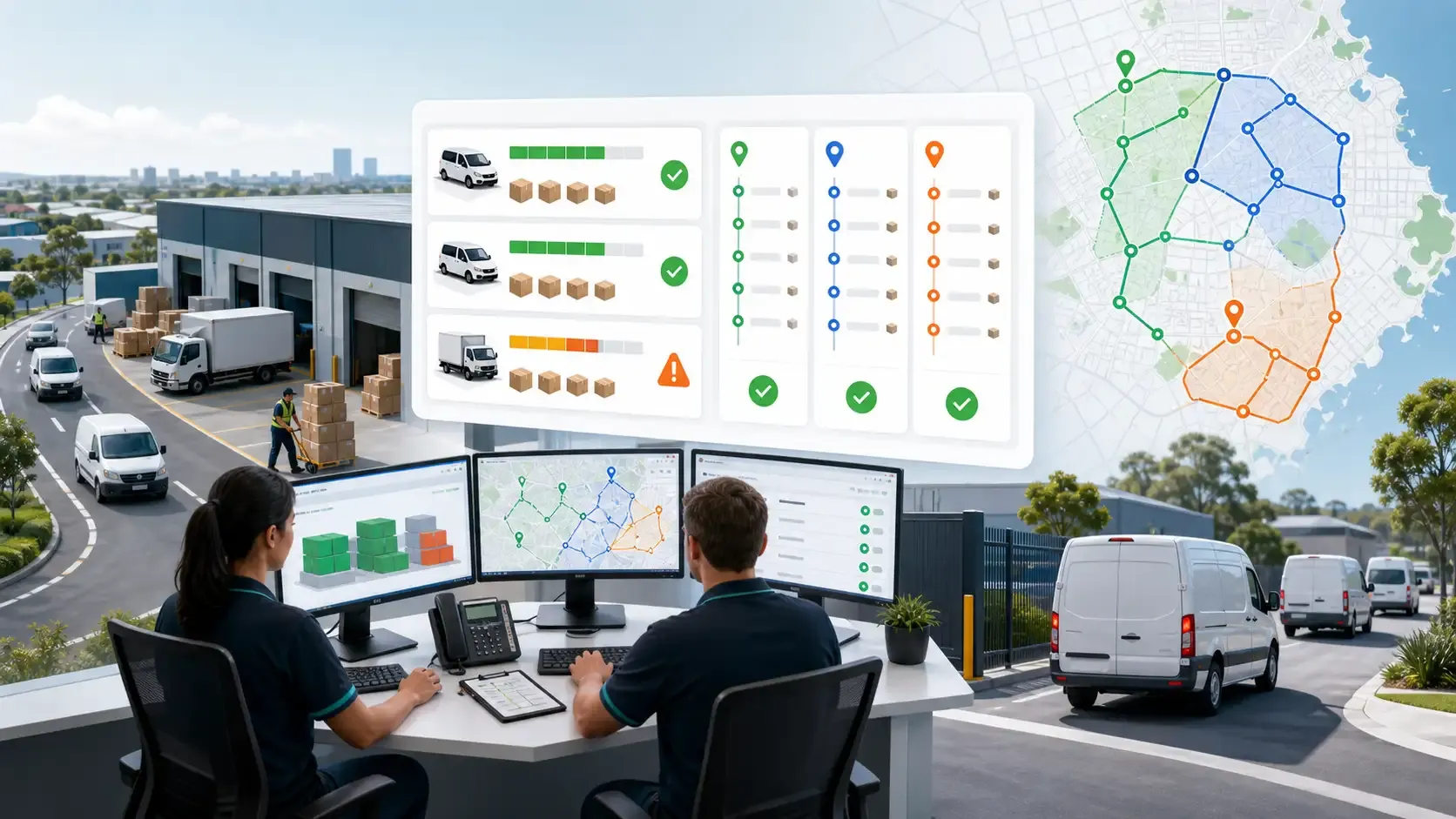
On this page
An overloaded route is one of the most frustrating problems in delivery operations.
The route may look good on a map. The stop sequence may look efficient. The driver may be ready to leave. Then the problem appears at the depot: the assigned vehicle cannot carry the work.
Now the dispatcher has to split the route, move parcels, change drivers, delay departures, or rebuild the plan manually.
For Australian courier, ecommerce, grocery, bulky goods, and last-mile delivery teams, overloaded routes are not only a warehouse problem. They are usually a planning problem.
Better vehicle capacity planning helps teams match delivery work to the right vehicle before dispatch, not after the loading process fails.
Why Overloaded Routes Happen
Overloaded routes often happen because the route plan is built around location, but not around load.
A dispatcher may group stops by geography and assume the route is practical. But delivery work is not only about where stops are located. It is also about what needs to be carried, which vehicle can carry it, and whether the workload fits the driver’s day.
Common causes of overloaded routes include:
- Missing parcel weight data
- Missing parcel volume data
- Using average parcel assumptions
- Ignoring bulky or fragile items
- Assigning the wrong vehicle type
- Planning too many stops for one driver
- Separating warehouse data from route planning
- Reviewing capacity too late in the dispatch process
A strong route optimization software workflow should help teams consider vehicle capacity before routes are dispatched.
Weight and Volume Are Different Problems
Many delivery teams track weight but underestimate volume.
This creates a common route planning problem. A vehicle may be within its weight limit but still physically full. Bulky lightweight items, furniture, appliances, pet supplies, packaging, and ecommerce parcels can fill a van quickly without reaching the weight limit.
The opposite can also happen. A vehicle may have enough space, but the total load may exceed safe or practical weight capacity.
Good vehicle capacity planning should consider both:
- Weight capacity
- Volume capacity
For Australian delivery teams handling mixed freight, this difference matters. A route full of compact parcels is very different from a route with large boxes, appliances, cartons, or temperature-sensitive goods.
Rouptimize’s guide to vehicle capacity route planning explains why capacity inputs should be part of route planning before dispatch.
Capacity Planning Starts With Clean Mission Data
Vehicle capacity planning depends on clean mission data.
A delivery mission should include the details that affect route load, such as item count, weight, volume, delivery type, service duration, branch, and priority.
If these fields are missing, the route planner has to guess. That guess may be safe for a small route, but it becomes risky as daily volume grows.
Delivery teams should aim to capture:
- Parcel count
- Weight
- Length, width, and height where available
- Product or parcel type
- Fragility or stacking restrictions
- Delivery priority
- Branch or depot context
- Required vehicle or equipment notes
Rouptimize’s delivery mission management software helps keep mission details connected to route planning, dispatch, driver work, and reporting.
When the mission record includes capacity-relevant data, dispatchers can make better decisions before the route is assigned.
Match Vehicle Type to Delivery Work
Not every vehicle should handle every route.
A delivery operation may use small vans, larger vans, trucks, utes, motorcycles, refrigerated vehicles, or specialised vehicles. Each vehicle type has different limits and use cases.
A small van may work well for compact ecommerce parcels. A truck may be better for bulky goods. A refrigerated vehicle may be required for food or pharmacy deliveries. A motorcycle may be practical for small urgent courier runs but unsuitable for volume-heavy work.
A good fleet planning workflow should help teams understand:
- Which vehicles are available
- Which vehicle is assigned to the route
- What capacity that vehicle has
- Whether the route workload fits
- Whether the route requires special equipment
- Whether another vehicle would be a better match
Rouptimize’s fleet management features help teams manage vehicles, drivers, capacity, skills, and assignments in the route planning workflow.
Route Size Is Not Just Stop Count
Stop count can be misleading.
Two routes may both have 35 stops, but one may be easy and the other may be unrealistic. The difference may come from parcel size, service duration, delivery access, route distance, time windows, or vehicle suitability.
This is why capacity planning should not only ask, “How many stops are on the route?”
It should also ask:
- How much total weight is on the route?
- How much total volume is on the route?
- How much time will each stop take?
- Are there bulky or fragile deliveries?
- Can the vehicle be loaded in a practical sequence?
- Does the route fit the driver’s shift?
- Are time windows adding pressure?
For Australian last-mile teams, this is especially important across mixed delivery types. A route with small parcels in a dense suburb behaves very differently from a bulky goods route across outer suburbs.
Prevent Overloading Before Dispatch
The best time to fix an overloaded route is before dispatch.
Once the driver is at the loading bay, every change becomes more expensive. Parcels may need to be moved. A second vehicle may be required. The route may need to be split. Customer delivery times may be affected.
Before dispatch, teams should review route capacity signals.
A practical pre-dispatch capacity check can include:
- Confirm assigned vehicle capacity
- Compare total route weight with vehicle limit
- Compare total route volume with vehicle limit
- Check bulky or fragile deliveries
- Review stop count and route duration
- Confirm driver and vehicle assignment
- Split or rebalance routes if needed
A dispatcher map helps operators review route geometry, route cards, depots, mission details, and assignments before work is sent to drivers.
That review layer is where overloaded routes can be caught early.
Driver Assignment Should Match Vehicle Capacity
Vehicle capacity planning is not only about the vehicle. It is also about the driver assignment.
A driver may be assigned to a vehicle, a branch, a depot, or a type of work. If the route is assigned without checking that context, the plan may become difficult to execute.
Common assignment issues include:
- Driver assigned to the wrong vehicle
- Vehicle assigned to the wrong branch
- Route assigned to a vehicle without enough capacity
- Driver receives work that does not match the vehicle type
- Route changes are not reflected in the driver workflow
Rouptimize’s documentation on how to assign driver and vehicle shows why route work should stay connected to the right driver and fleet asset.
A route is not ready just because it has stops. It is ready when the assigned driver and vehicle can complete it.
Capacity Planning Helps Drivers Trust the Route
Drivers quickly learn whether the route plan is realistic.
If they regularly arrive at the depot and discover that a route cannot fit in the vehicle, trust in the planning process drops. Drivers may start expecting manual changes, delays, and confusion before the day begins.
Better capacity planning improves driver confidence.
When drivers receive routes that match the vehicle, workload, and delivery sequence, they can focus on completing the route instead of fixing the plan.
A driver delivery app also helps by giving drivers access to assigned route work, mission details, navigation context, status updates, and completion steps.
The goal is not only to create a route. The goal is to create work the driver can actually execute.
Live Monitoring Still Matters After Dispatch
Capacity planning happens before dispatch, but the route still needs visibility after drivers leave.
A route that was correctly loaded may still run late because of traffic, customer delays, access problems, or service-time assumptions. Dispatchers need to see when active work starts to drift from the plan.
Rouptimize’s live delivery monitoring helps teams follow driver and vehicle context, route progress, mission status, and active delivery work.
This matters because capacity is one part of route quality. The full route still needs to be monitored during execution.
Reports Help Improve Future Capacity Planning
Overloaded routes should not be treated as one-off problems.
If they happen repeatedly, managers need to find the pattern. Are certain parcel types causing the issue? Is one branch underestimating volume? Is one vehicle being assigned too often? Are routes built with too many stops? Is product data incomplete?
Rouptimize’s delivery reports and analytics help teams review route performance, driver activity, delivery outcomes, and operational bottlenecks.
Reporting can help managers understand:
- Which routes were overloaded
- Which vehicles were underused
- Which branches had repeated capacity issues
- Which delivery types caused load problems
- Which route plans needed manual adjustment
- Which assumptions should change next time
This creates a better planning loop. Capacity issues become data for improving the next dispatch cycle.
Why Vehicle Capacity Planning Matters in Australia
Australian delivery teams often manage a wide mix of route types.
A courier route in inner Melbourne may involve many compact parcels and short distances. A bulky goods route in outer Sydney may involve fewer stops but larger items. A grocery delivery route in Brisbane may require time-sensitive planning. A regional delivery run may involve longer distance and fewer recovery options if the vehicle is loaded incorrectly.
This variety makes vehicle capacity planning important.
If the route is overloaded, the problem is not always easy to fix once the driver leaves. A second trip may be costly. A missed delivery window may affect the customer. A manual route split may delay the whole dispatch schedule.
For teams evaluating route optimization software in Australia, vehicle capacity planning should be part of the decision.
Common Capacity Planning Mistakes
Many teams run into the same preventable mistakes.
They plan routes using stop count alone. They track weight but not volume. They use average parcel sizes. They ignore bulky or fragile items. They assign vehicles after the route is already built. They review load problems at the depot instead of during planning.
These mistakes create overloaded routes.
A better approach is to connect mission data, vehicle capacity, driver assignment, route optimization, dispatch review, and reporting.
That workflow helps teams prevent overload before it becomes a driver problem.
Conclusion: Prevent Overloaded Routes Before the Depot
Overloaded routes usually start before the driver leaves the depot.
They happen when route planning ignores vehicle capacity, parcel volume, driver assignment, or practical loading limits. By the time the problem appears at the loading bay, the fix is already more expensive.
Australian delivery teams can reduce overloaded routes by capturing better mission data, planning around weight and volume, matching work to the right vehicle, reviewing capacity before dispatch, and using reports to improve future planning.
Rouptimize helps teams connect mission management, fleet management, route optimization, dispatcher review, driver assignment, live monitoring, and reports so route plans are more realistic before drivers leave.
Written by
Results-oriented and visionary CEO with a passion for innovation and a track record of transforming startups into industry leaders. Seeking a leadership role in a dynamic startup environment where I can leverage my strategic acumen, entrepreneurial spirit, and hands-on experience to drive growth, build high-performing teams, and deliver unparalleled value to customers. Committed to fostering a culture of creativity, adaptability, and sustainable success.
Operations • Management • Route Optimization • Product Management • Logistics • Problem Solving
FAQ
What is vehicle capacity planning?
Vehicle capacity planning is the process of matching delivery work to vehicles based on weight, volume, parcel type, route workload, driver assignment, and operational constraints.
Why do delivery routes become overloaded?
Routes become overloaded when planners ignore parcel weight, parcel volume, bulky items, vehicle limits, service time, driver context, or route workload before dispatch.
Is stop count enough for route planning?
No. Stop count does not show whether the vehicle can carry the work, whether parcels are bulky, whether time windows are realistic, or whether the route fits the driver’s day.
Why does volume matter as much as weight?
Volume matters because lightweight but bulky parcels can fill a vehicle before the weight limit is reached. Both weight and volume should be considered before dispatch.
How can Australian delivery teams prevent overloaded routes?
Teams can prevent overloaded routes by capturing better parcel data, matching work to the right vehicle, checking capacity before dispatch, and reviewing route performance after delivery.
How does route optimization software help with capacity planning?
Route optimization software can help teams plan routes around vehicle capacity, driver assignment, depots, time windows, and delivery workload instead of only sequencing stops by distance.
Why should capacity planning connect to reports?
Reports help teams identify repeated capacity problems, underused vehicles, overloaded branches, and planning assumptions that need to change.