Courier Route Planning Software: How Dispatch Teams Can Handle Daily Route Pressure
Courier dispatch pressure builds quickly when orders, routes, drivers, vehicles, and exceptions are managed in separate tools. Better route planning software helps teams turn daily pressure into a clearer dispatch workflow.
 Mohammad AlavitabarCEO @ Rouptimize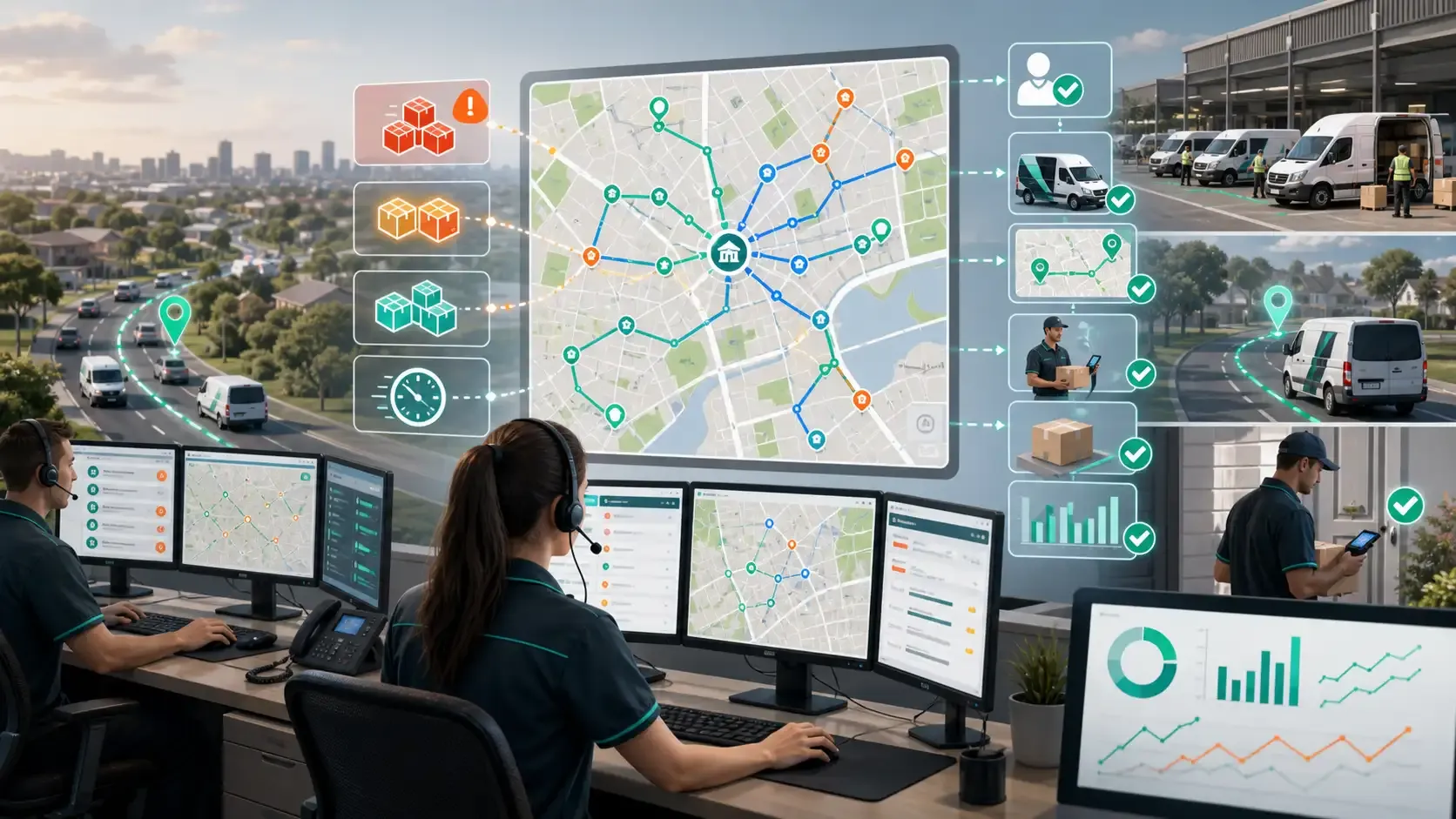
On this page
Courier dispatch teams work under pressure every day.
Orders arrive quickly. Customers expect fast delivery. Drivers need clear route assignments. Vehicles have capacity limits. Routes change. Exceptions appear. Managers want updates before the day is over.
For Australian courier teams, this pressure is normal. The question is whether the operation has a workflow strong enough to handle it.
Courier route planning software should help dispatchers move from daily order pressure to clear route decisions. It should not only draw routes on a map. It should help teams import work, review missions, optimise routes, assign drivers, monitor active delivery, verify completion, and review performance.
When those steps stay connected, dispatch pressure becomes easier to manage.
Why Courier Dispatch Feels So Pressured
Courier work is different from slower, planned logistics.
The daily workload can change quickly. A team may receive new orders, urgent requests, pickup and delivery jobs, customer changes, failed delivery follow-ups, and driver availability issues all in the same day.
Dispatchers often need to make fast decisions with incomplete information.
Common pressure points include:
- New orders arriving close to dispatch time
- Routes needing manual changes
- Drivers calling for clarification
- Vehicle capacity problems
- Customers requesting delivery updates
- Late deliveries becoming visible too late
- Proof of delivery missing after completion
- Managers asking for performance reports
If these problems are managed through spreadsheets, phone calls, and separate map tools, the dispatcher spends too much time rebuilding the same picture.
A connected courier route planning software workflow helps reduce that manual pressure.
Daily Courier Planning Starts With Mission Data
Before dispatchers can plan routes, they need clean delivery work.
Courier orders should become route-ready missions with the details needed for planning and execution. This may include customer details, pickup or delivery address, coordinates, delivery date, priority, service duration, parcel details, branch, depot, and time window.
If this information is missing, dispatchers have to guess. Those guesses become problems later in the day.
Rouptimize’s delivery mission management software helps teams keep mission details connected to route planning, dispatch, driver workflow, and reporting.
Clean mission data helps dispatchers make better route decisions under pressure.
Import Work Without Rebuilding the Day Manually
Many Australian courier teams receive work from different sources: spreadsheets, ecommerce exports, warehouse tools, customer service teams, partner systems, or manual order entry.
The problem is not that orders come from different places. The problem is when dispatchers have to copy and rebuild that work across multiple systems before routes can be planned.
A better workflow lets teams import daily delivery work, review the mission data, and move into route planning from the same source.
Rouptimize supports teams that need to import delivery missions from CSV, XLSX, or JSON, which is useful for courier operators that still receive daily work through operational files.
This reduces setup time before dispatch and gives the team a cleaner starting point.
Route Optimization Should Reduce Pressure, Not Hide It
Route optimization is most useful when it helps dispatchers make decisions faster without hiding important details.
A basic route planner may sequence stops by distance. That can help, but courier dispatch needs more than a short route. The route also needs to respect vehicle capacity, driver availability, depot context, time windows, stop duration, and delivery priority.
Rouptimize’s route optimization software helps teams plan routes around real delivery constraints.
For courier dispatch teams, this matters because the plan needs to work in the field. A route that looks neat on screen can still fail if the vehicle is overloaded, the driver receives unclear instructions, or time-sensitive jobs are placed too late in the sequence.
The goal is not only route efficiency. The goal is dispatch confidence.
Dispatchers Need a Clear Review Layer
Courier dispatchers should be able to review routes before they are sent to drivers.
A dispatcher may know that one customer location is difficult to access, one driver is better suited to a zone, one stop should be moved earlier, or one route is too tight for the assigned vehicle.
This judgement is valuable.
A dispatcher map helps operators review mission details, depots, route geometry, stop order, route cards, and assignments before dispatch.
This review layer helps dispatchers work with the software instead of fighting it.
The best route planning workflow is not “automatic route, no human review.” It is “software prepares the plan, dispatcher reviews it, drivers receive clearer work.”
Driver and Vehicle Assignment Must Stay Connected
Daily pressure increases when route assignment is unclear.
A route may be optimised, but if it is not assigned to the right driver and vehicle, the work is not ready. The dispatcher may still need to confirm who is responsible, which vehicle is being used, and whether the driver can see the assigned work.
Common assignment problems include:
- Wrong driver receives the route
- Driver cannot see route work in the mobile app
- Vehicle capacity does not match route load
- Route changes do not reach the driver
- Dispatchers lose track of route ownership
Rouptimize’s documentation on how to assign driver and vehicle shows why route assignment should be part of the dispatch workflow, not a separate manual step.
Drivers Need Mobile Context After Assignment
Courier drivers need clear route context once the work is assigned.
A driver should be able to see assigned routes, mission details, navigation context, delivery status workflow, and proof-of-delivery steps. Without that context, drivers call dispatch for information that should already be in the workflow.
A driver delivery app helps keep driver work connected to dispatch.
For high-pressure courier operations, this reduces back-and-forth communication and helps drivers move through the route with fewer avoidable questions.
You can also read more about driver delivery apps after routes are assigned.
Live Monitoring Helps Dispatchers Focus on Exceptions
Courier dispatch pressure does not end when drivers leave the depot.
Once routes are active, dispatchers need to know which routes are on track, which drivers are delayed, which missions have changed status, and which exceptions need attention.
Without live visibility, dispatchers may discover problems too late.
Rouptimize’s live delivery monitoring helps teams follow selected drivers, vehicles, current locations, last updates, and mission context.
The value is not in watching every movement. The value is in knowing where attention is needed.
This helps dispatchers focus on exceptions instead of chasing every driver manually.
Proof of Delivery Reduces After-Route Confusion
Courier teams need to know whether deliveries were completed.
If proof is missing or disconnected, the team may spend time after the route answering customer disputes, checking messages, calling drivers, or searching through separate records.
Rouptimize’s proof of delivery software helps connect completion status with the mission record.
For courier teams, simple proof matters because drivers often complete many stops in a day. A lightweight proof workflow can reduce disputes without adding heavy process to every delivery.
Reports Help Teams Improve the Next Dispatch Cycle
Daily courier pressure becomes easier to manage when managers learn from each route.
Reports help teams compare planned work with completed work, review driver activity, identify route bottlenecks, track failed deliveries, and improve future dispatch decisions.
Rouptimize’s delivery reports and analytics help teams review route performance and operational outcomes without forcing spreadsheet cleanup first.
Useful reporting questions include:
- Which routes finished late?
- Which drivers had overloaded schedules?
- Which branches had repeated exceptions?
- Which customers caused delays?
- Which delivery types failed most often?
- Which route assumptions should change?
This turns reporting into a pressure-release tool. The team does not only survive today’s dispatch. It improves tomorrow’s plan.
What Australian Courier Teams Should Look For
Australian courier teams need software that handles real operating conditions.
Metro deliveries can be dense and time-sensitive. Outer-suburban routes can involve longer travel between stops. Regional work may leave less room for recovery. Customer expectations are rising, and delivery costs are under pressure.
Courier route planning software should support:
- Mission import
- Route optimization
- Dispatcher map review
- Vehicle capacity planning
- Driver and vehicle assignment
- Driver mobile app workflow
- Live monitoring
- Proof of delivery
- Reports and analytics
- Branch and depot context
For a broader buying guide, read Route Optimization Software in Australia: What Delivery Teams Should Look For.
Common Courier Dispatch Mistakes
Many courier teams run into the same problems.
They wait too long to structure order data. They build routes manually in separate tools. They assign drivers after planning instead of during dispatch. They send drivers incomplete route context. They monitor active routes too late. They collect proof outside the mission record. They review performance only when something goes wrong.
These mistakes increase daily pressure.
A better workflow connects each step: import, plan, review, assign, dispatch, monitor, prove, and report.
Conclusion: Better Software Turns Dispatch Pressure Into Workflow
Courier dispatch will always involve pressure. Orders change, customers expect fast delivery, drivers need clear work, and exceptions will appear.
The goal is not to remove every challenge. The goal is to give dispatch teams a workflow that handles the challenge better.
Courier route planning software should help Australian teams turn daily delivery work into clean missions, reviewed routes, assigned drivers, live delivery visibility, verified completion, and useful reports.
Rouptimize helps courier teams connect mission management, route optimization, dispatcher maps, driver apps, live monitoring, proof of delivery, fleet management, and reporting so dispatch pressure becomes easier to control.
Written by
Results-oriented and visionary CEO with a passion for innovation and a track record of transforming startups into industry leaders. Seeking a leadership role in a dynamic startup environment where I can leverage my strategic acumen, entrepreneurial spirit, and hands-on experience to drive growth, build high-performing teams, and deliver unparalleled value to customers. Committed to fostering a culture of creativity, adaptability, and sustainable success.
Operations • Management • Route Optimization • Product Management • Logistics • Problem Solving
FAQ
What is courier route planning software?
Courier route planning software helps dispatch teams turn daily delivery work into route plans, driver assignments, live delivery workflows, proof records, and performance reports.
Why do courier dispatch teams feel daily route pressure?
Courier dispatch teams manage changing orders, driver availability, vehicle capacity, customer updates, route exceptions, proof requirements, and performance expectations every day.
How does route optimization help courier teams?
Route optimization helps courier teams plan routes around locations, vehicles, drivers, depots, time windows, stop duration, and delivery priority.
Why is driver assignment important in courier dispatch?
Driver assignment makes route ownership clear. It connects the planned route to the right driver and vehicle before work is dispatched.
How does a driver app reduce courier dispatch pressure?
A driver app gives field teams access to assigned routes, mission details, navigation context, status updates, and proof-of-delivery steps, reducing manual back-and-forth with dispatch.
How does live monitoring help courier operations?
Live monitoring helps dispatchers see active route progress, driver context, mission status, and exceptions while the delivery day is still in progress.
What should Australian courier teams look for in route planning software?
Australian courier teams should look for mission import, route optimization, dispatcher review, driver assignment, mobile driver workflows, live monitoring, proof of delivery, reporting, and branch or depot context.